
How much time do you or your loved ones spend in front of a screen?
Studies show that limiting the amount of time you or your child spends in front of screens (such as TV’s or iPads) can actually have very positive effects on physical health, social health, and mental health! Spending too much time on screens has been linked to bad sleep, poor grades, and a higher risk of obesity.
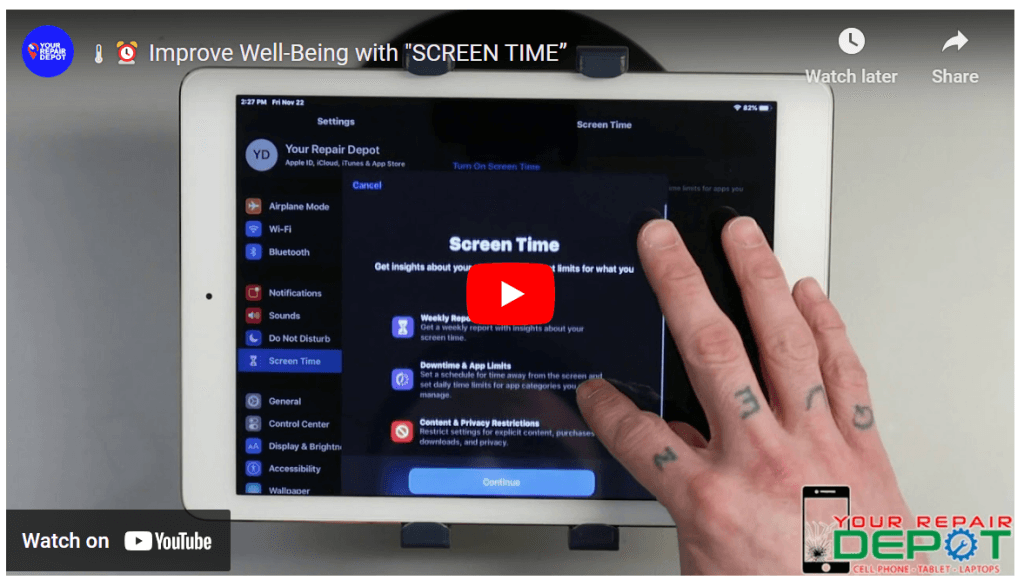
Check out this video to learn about “Screen Time”!
Taming the Tech: How Apple Screen Time Can Help You Take Control
We all know the feeling: glued to our phones, scrolling endlessly, losing track of time. While technology offers endless benefits, excessive screen time can negatively impact our health and well-being. Here at Your Repair Depot (https://www.yourrepairdepot.com/), we want to help you achieve a healthy balance with Apple Screen Time.
What is Screen Time?
Screen Time is a built-in feature on iPhones and iPads (iOS 12 and later) that allows you to monitor and manage your device usage. It provides valuable insights into how you spend time on your device, including:
- Total Usage: See how much time you spend on your device each day and week.
- App Usage: Track which apps you use the most and for how long.
- Notification Statistics: View how many notifications you receive and from which apps.
Benefits of Using Screen Time:
- Improved Focus: By understanding your usage patterns, you can identify areas where you might be losing focus and take steps to reduce distractions.
- Better Sleep Habits: Excessive screen time before bed can disrupt sleep patterns. Screen Time helps you set healthy boundaries.
- Increased Productivity: Limiting screen time can free up time for other activities such as work, hobbies, and social interaction.
- Parental Control: Screen Time allows parents to set usage limits and restrictions for their children’s devices.
How to Use Screen Time:
-
Find Screen Time: Open the Settings app on your iPhone or iPad. Scroll down and tap “Screen Time.”
-
Turn On Screen Time: If it’s not already enabled, tap “Turn On Screen Time” and choose “This is My [Device]” or “This is My Child’s [Device].”
-
Explore the Features: Screen Time offers a variety of features, including:
- Downtime: Schedule time periods when specific apps and features are unavailable.
- App Limits: Set time limits for specific app categories or individual apps.
- Content & Privacy Restrictions: Limit access to certain websites, content, and features.
Your Repair Depot Can Help:
- Free Consultations: Unsure how to set up Screen Time? Bring your device in, and we’ll be happy to guide you through the process.
- Family Tech Support: We can help you establish healthy tech habits for the whole family.
- Fast and Reliable Repairs: Need repairs for your iPhone or iPad? We offer affordable and efficient repair services.
Contact Us:
Take control of your tech time! Visit Your Repair Depot today:
- Call us: (250) 871-4541
- Visit us: 3030 Kilpatrick Ave #212, Courtenay, BC V9N 8P1, Canada (Open Monday-Friday 10:00 AM – 5:00 PM, Saturday 10:00 AM – 4:00 PM)
- Check out our website: https://www.yourrepairdepot.com/
Your Repair Depot: We fix your tech, not your budget!